error : " Value is empty and 'get' function cannot be applied. "
Error in question:
You are experiencing an error related to the Debit Note module when pushing documents to the LHDN MyInvois portal. This usually happens when the Debit Note module in Zoho Books has not been activated.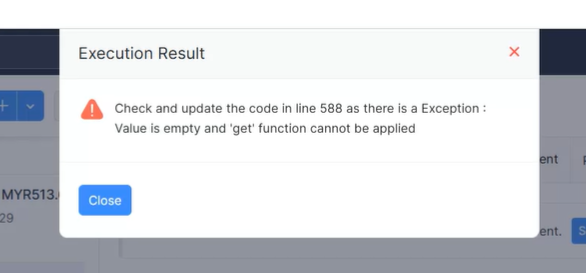
Solution:
Activate the Debit Note module
Follow steps below:
In Zoho Books > settings > setup & configurations > general
Turn on the Debit Note module
Save the settings
Attempt to re-push the document.
Should this not work, you may be required to edit the document, and save it again to refresh the settings in the document as well.
Example below :
Edit invoice:
Save invoice:
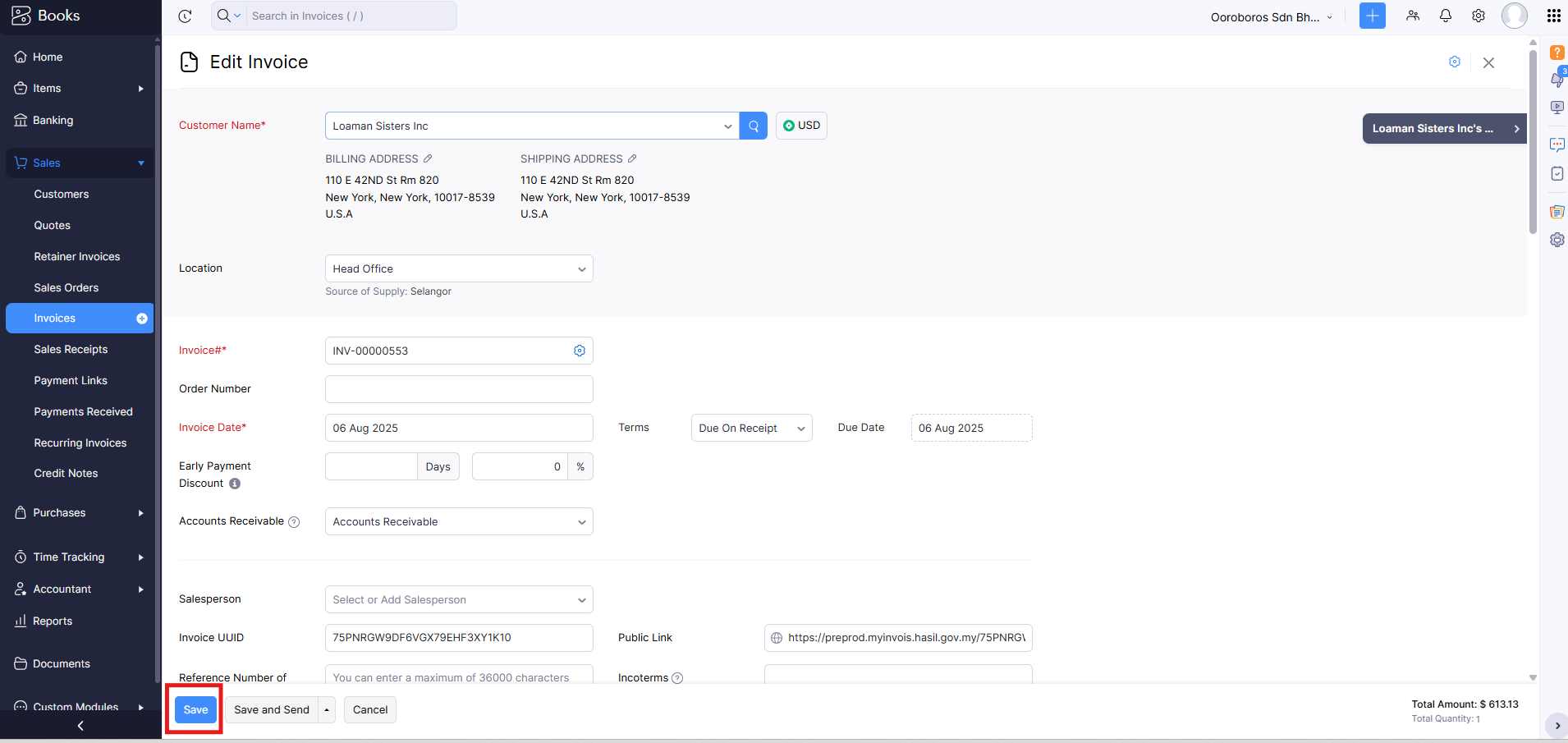
You may then try to push the invoice as normal.
Please do not hesitate to contact us if you have any questions or require any assistance.
Related Articles
Error: "_ _ Code in line 311 as there is an exception : Value is empty and 'get' function cannot be applied"
What is the error? Solution: Change user role locations permission Go to settings > Users & Roles > roles > and enter the lore this user is assigned to This error is due to the locations being turned off. Your user will need this permission turned on ...Error with customer data (TIN and BRN )
Introduction: This article is to assist for errors that details problems with Customer TIN and BRN Troubleshoot steps: Check the Related Lists table on the document. In Zoho Books > the document that is failed to pushed > scroll down to the related ...Customer details widget error
Introduction The error in question is when the customer details side widget either comes with an error, or refuses to load : This issue is usually due to the locations module not being enabled, as Zoho recently changed the back end and now has tied ...Error: missing MSIC code
Introduction This article is to assist if you are experiencing an error stating you are missing your customer's MSIC code. Do note that the MSIC code is a mandatory field in some instances, such as self-billed invoices. Troubleshoot steps: Check on ..."Remote host terminated the handshake" error,
Error in question: Troubleshoot steps: Go into the LHDN portal and check the documents that have been pushed, (below are two methods) Method 1(check in LHDN portal ): In MyInvois portal (Organization Owner / Representative account) > documents > ...